About
When
Managing Users Access to Precursive OBX, for users to gain access to the platform, you need to assign them:
- A Precursive OBX Package License - please follow the instructions below to complete this first step.
- A Precursive OBX Permission Set Group - their assigned PS Group defines what Precursive objects and fields hey can see and edit and it determines what License Type they get assigned. Please see Precursive OBX License Types & Permission Set Groups to learn more.
You can think of permissions as locks and of licenses as rings of keys: before you can assign users a specific permission, they must have a license that includes the key to unlock that permission. The Permission Sets that you assign your users determine their License Type.
Note - in order to assign users Precursive Package Licenses, you will need to have the following permission yourself. That is usually the case for a Salesforce Administrator.
Salesforce User Permissions Needed
|
| Manage Package Licenses | To manage licenses for an AppExchange app |
How to Assign a Precursive Package Licenses
A user with the permissions above, can assign users licenses from the Salesforce Setup. Here's how:
- Navigate to Salesforce Setup
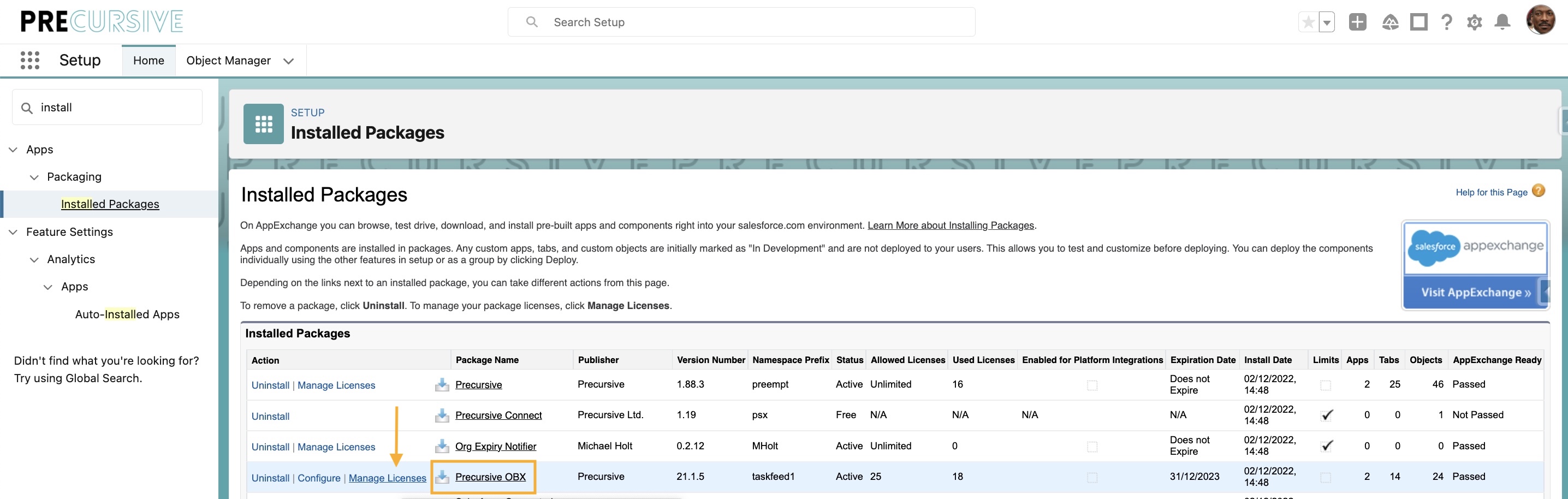
- Search on the Quick Find and select 'Installed Packages'
- Find the Precursive OBX package and select 'Manage Licenses'
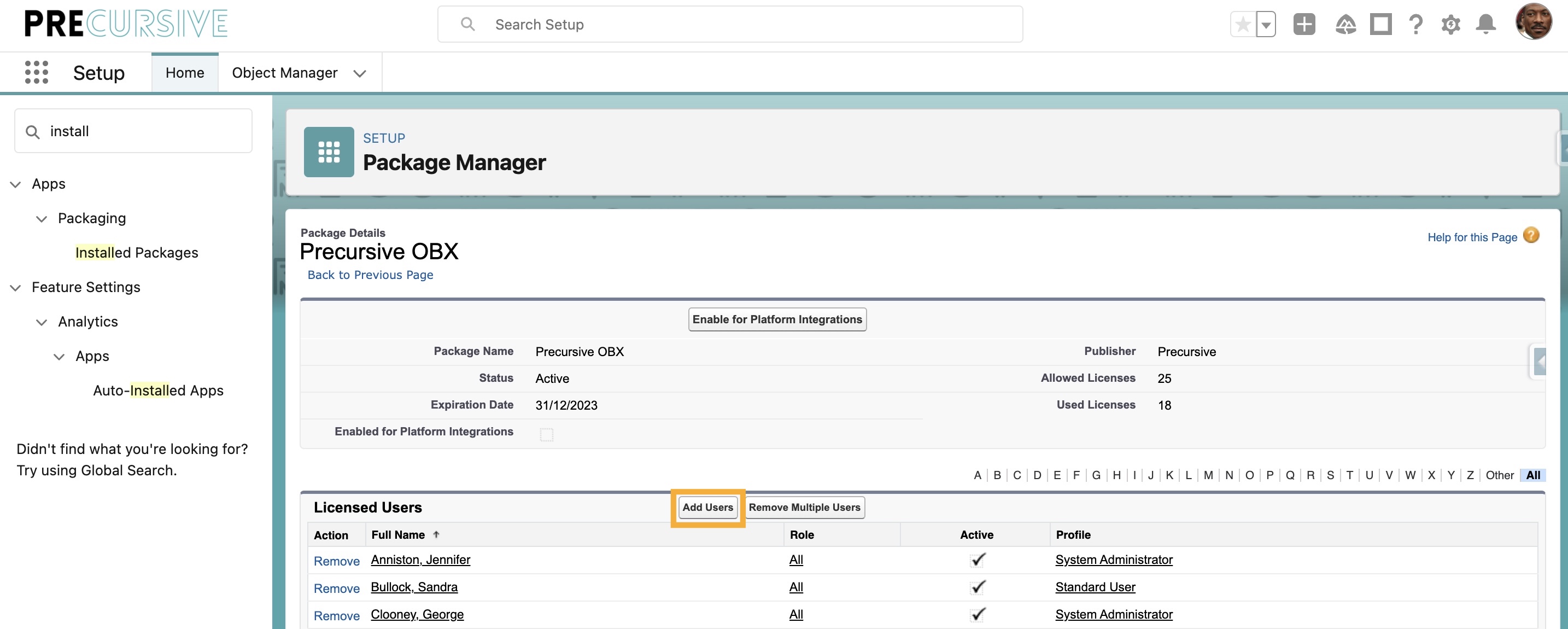
- Select the Add Users button
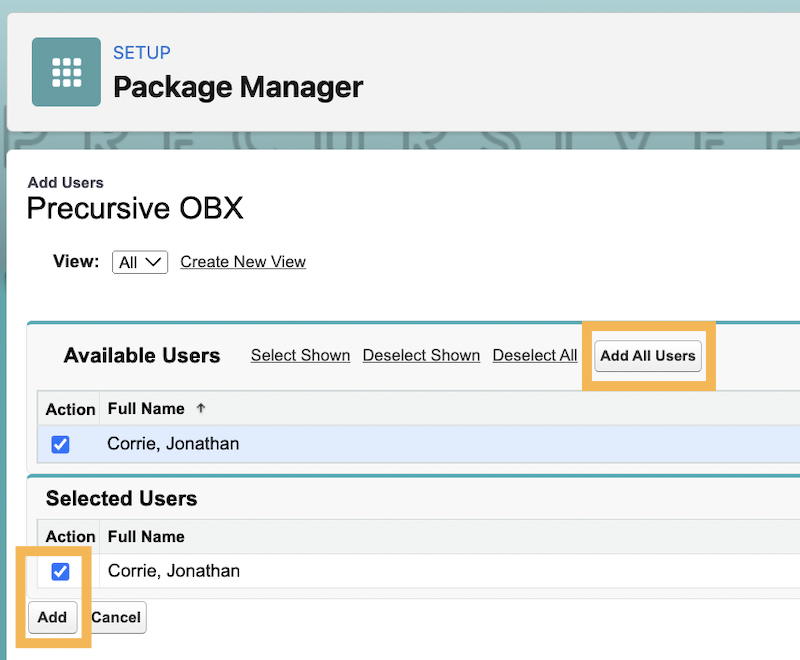
- There you can select 'Add All Users' or select the users you want to add and click 'Add'
The total number of Package Licenses you can assign is
capped and enforced at point of assignment so you cannot assign more licenses than what purchased. You can see how many you have left to assign per each Installed Package when clicking on 'Managed Licenses'. On the header you can see:
- Allowed Licences is the number of Active Licenses available to assign to users
- Used Licences is the number of Licenses you have already assigned
If you need to purchase more licenses, please get in contact with your Customer Success Manager, or email
customersuccess@precursive.co.uk
Related Resources
Removing Precursive Licenses from UsersHow to Audit Precursive Package LicensesManaging Users Access to Precursive OBXPrecursive OBX License Types & Permission Set Groups